
A complete platform for Arabic centers and schools: registration, reports, lessons and games
Everything your center needs in one place: student registration, ready-made lessons for teachers, stories and group games, quizzes and certificates, and reports for the manager and the parent.



- 12explanation languages
- A0 → B14 levels
- 4dashboards: manager · teacher · parent · student
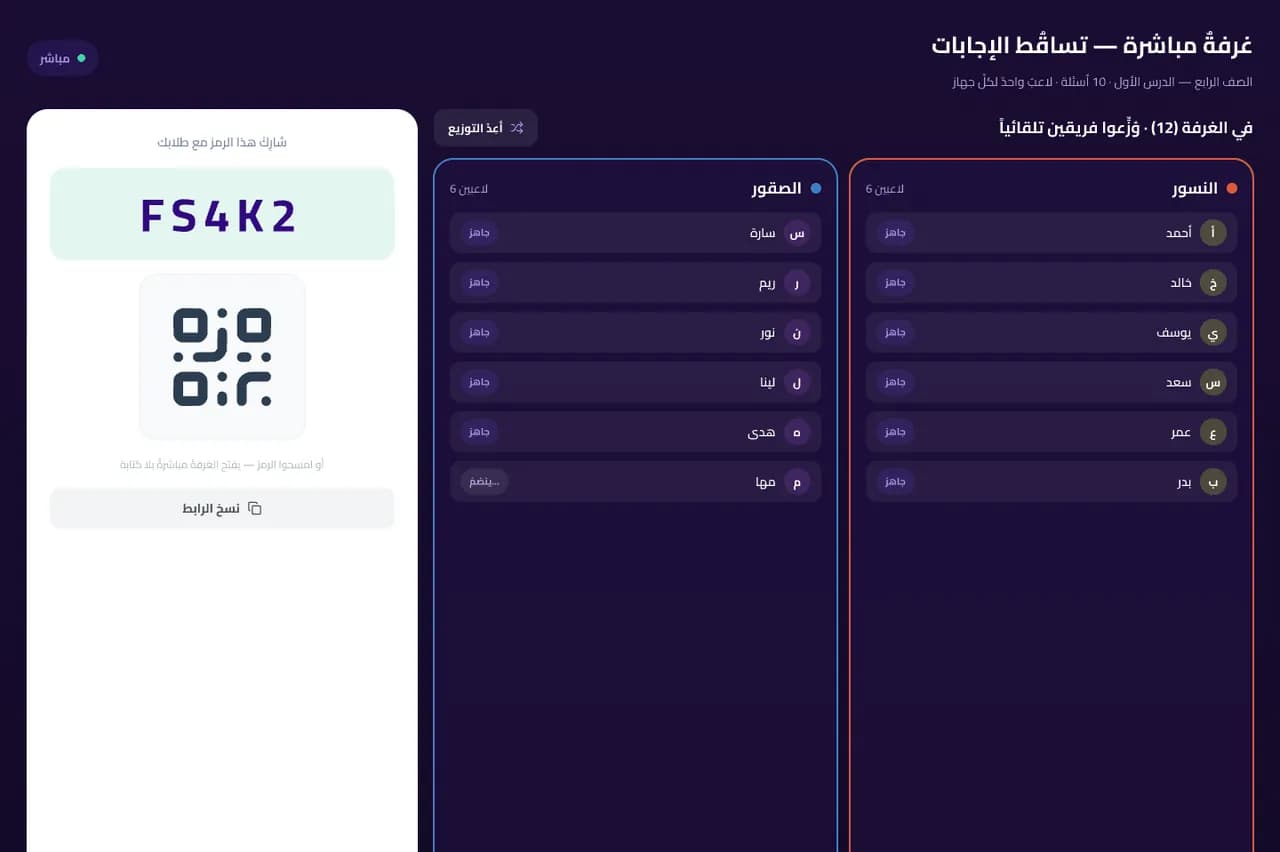
- 6group games for the class
Everything your center needs in one place
For the center manager
- Student and class registration
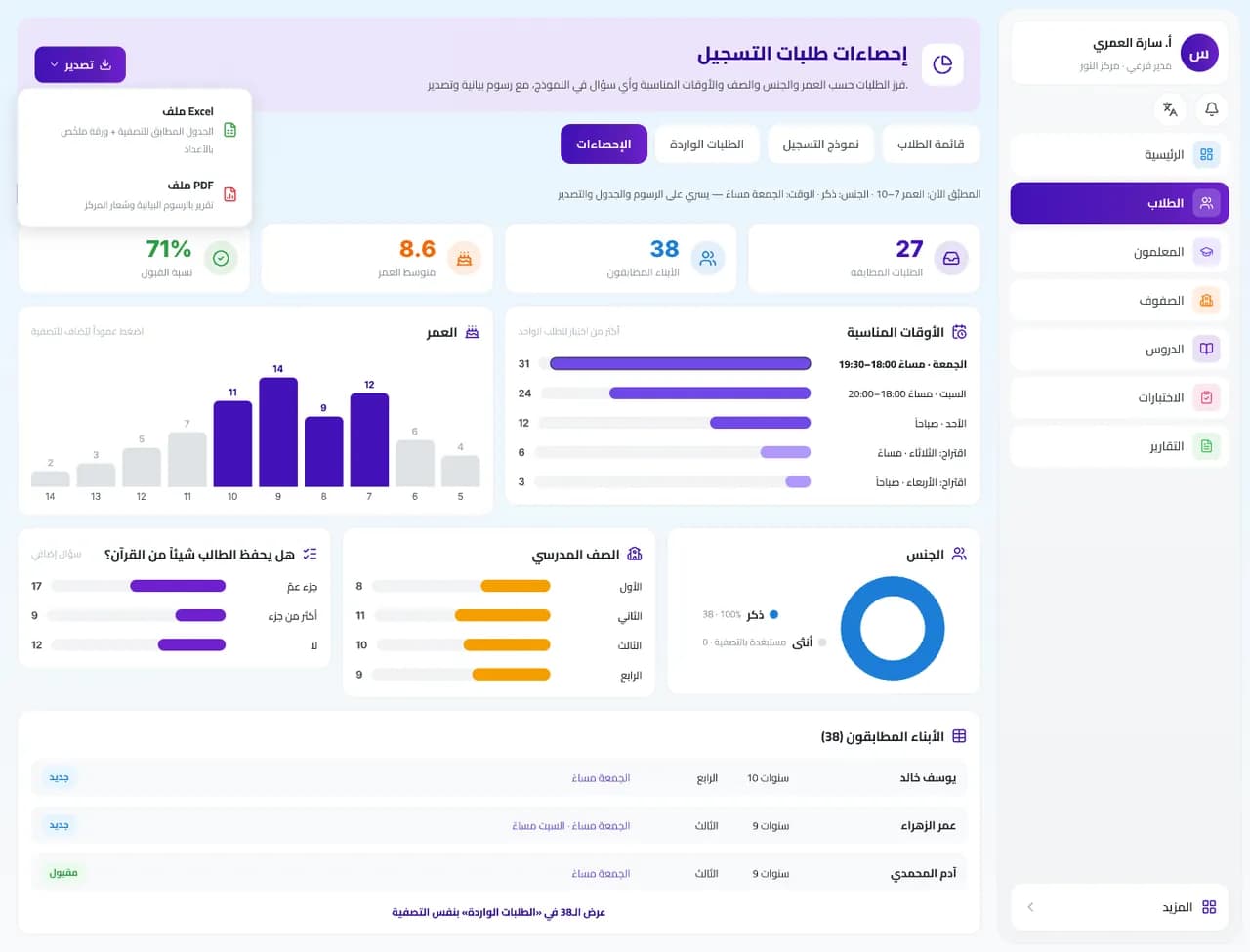
- Reports and statistics
- Payments and activation vouchers
For the teacher
- Ready-made lessons and class stories
- Group games and quizzes
- Assessment and a report for every student
For the parent
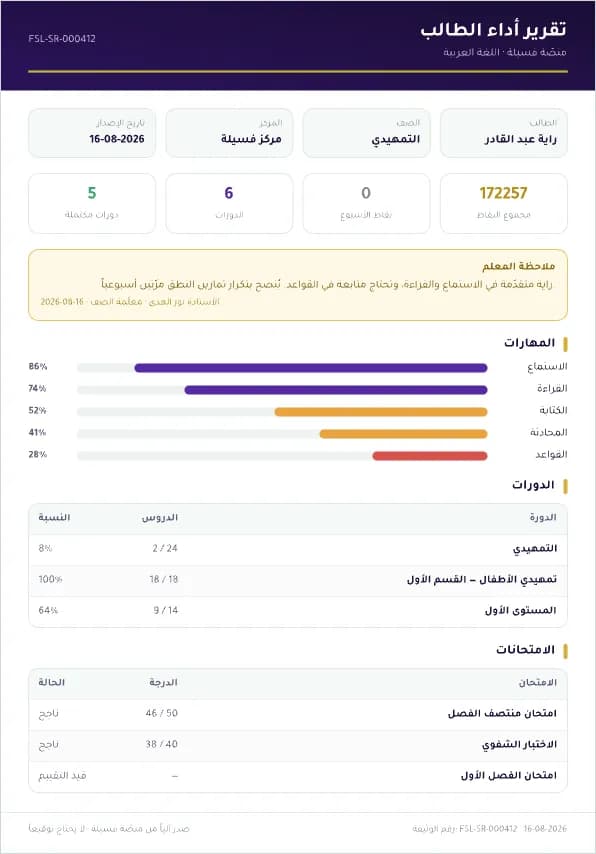
- A performance report by skill
- Tasks and meetings with the teacher
- Screen time
For the student
- Lessons, stories and games
- Contests, stickers and points
- A certificate on passing
Register your students without paper or spreadsheets
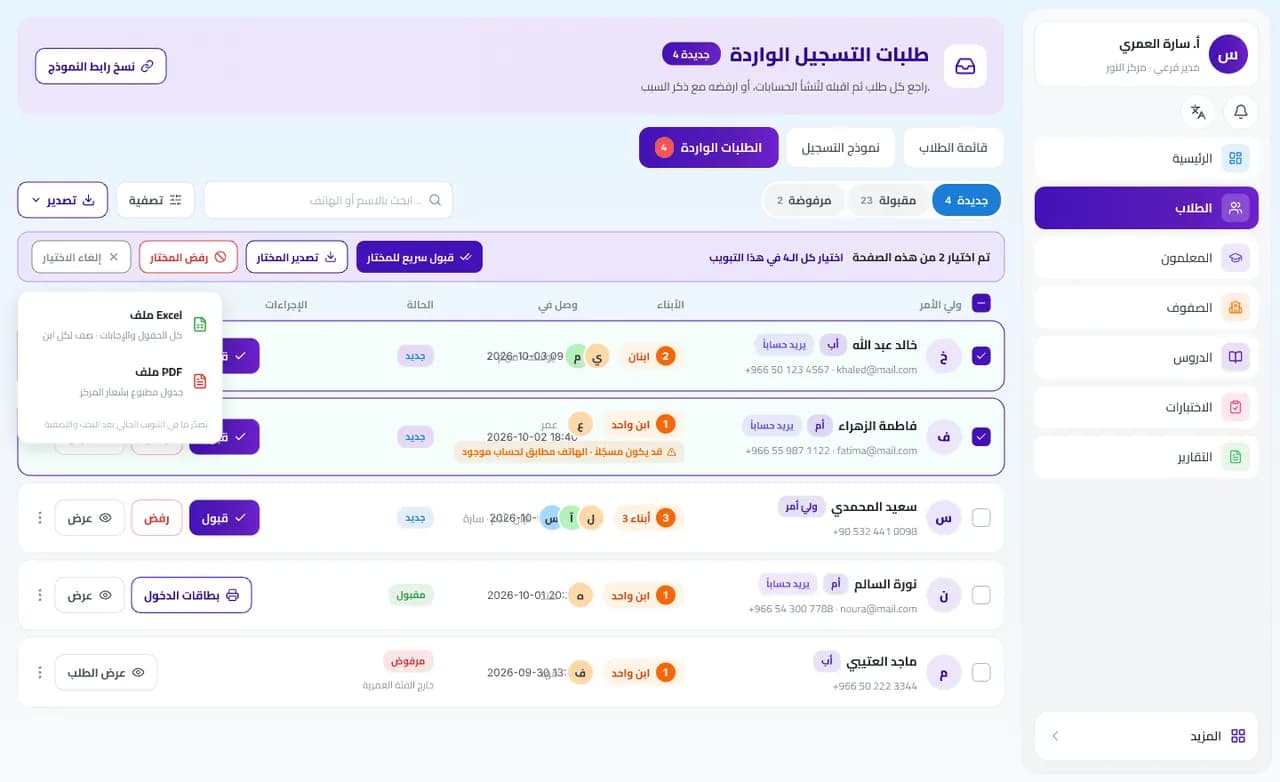
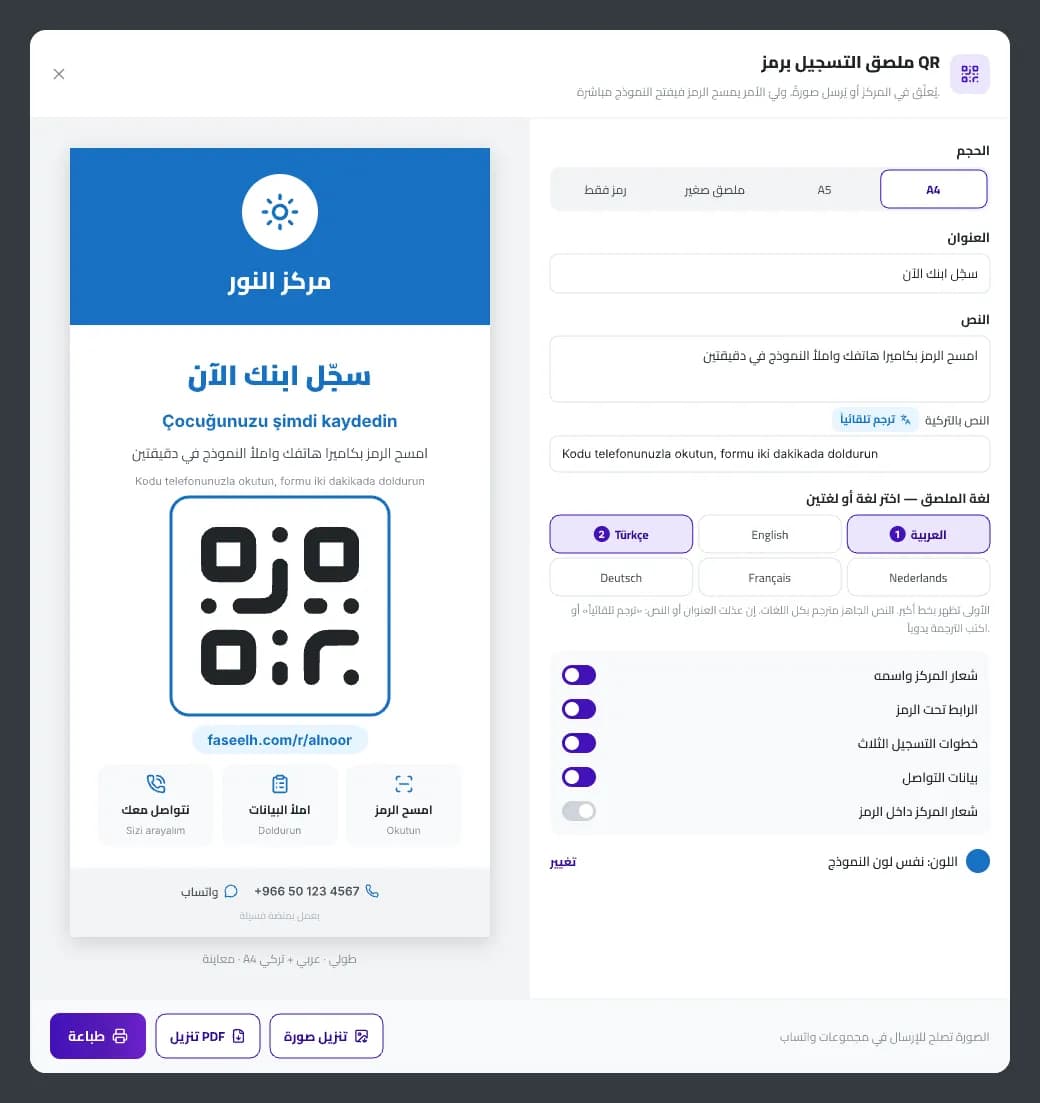
A registration form you design yourself reaches families through a link or a QR poster, and the requests arrive in order.
- A form editor with your own questions: text, choice, suitable times, WhatsApp
- A print-ready QR poster and a link to share
- Accept requests in bulk and assign them to classes
- Import students from Excel
- A QR sign-in card for every student, printed or sent by WhatsApp
Reports and statistics — the full picture
Your center's numbers in front of you: who registered, who is progressing, and who needs follow-up.
- Registration statistics: ages, levels and preferred times
- Class report: active students, average completion, top students
- A report for every student across the four skills
- Teacher follow-up: attendance and completed sessions
- Payments and subscriptions that end soon
Ready-made lessons, and live follow-up
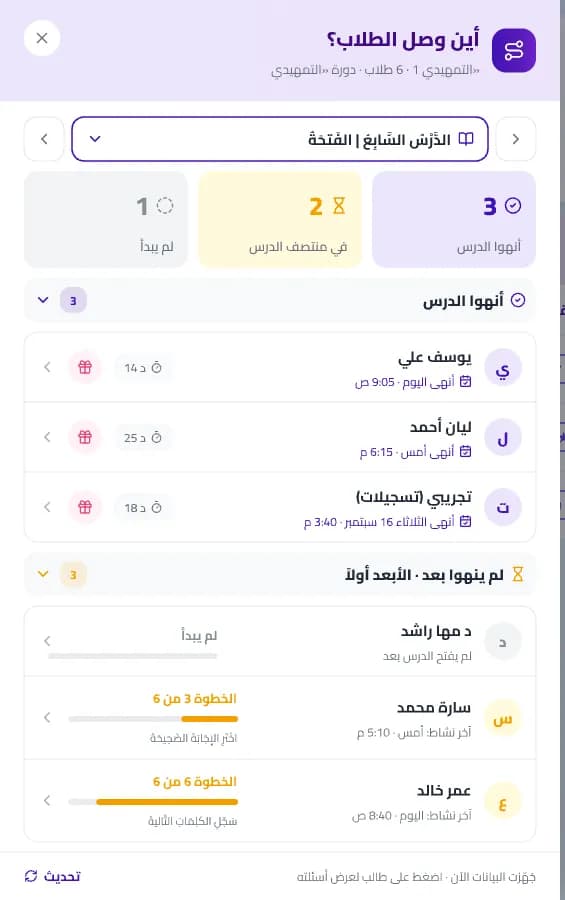
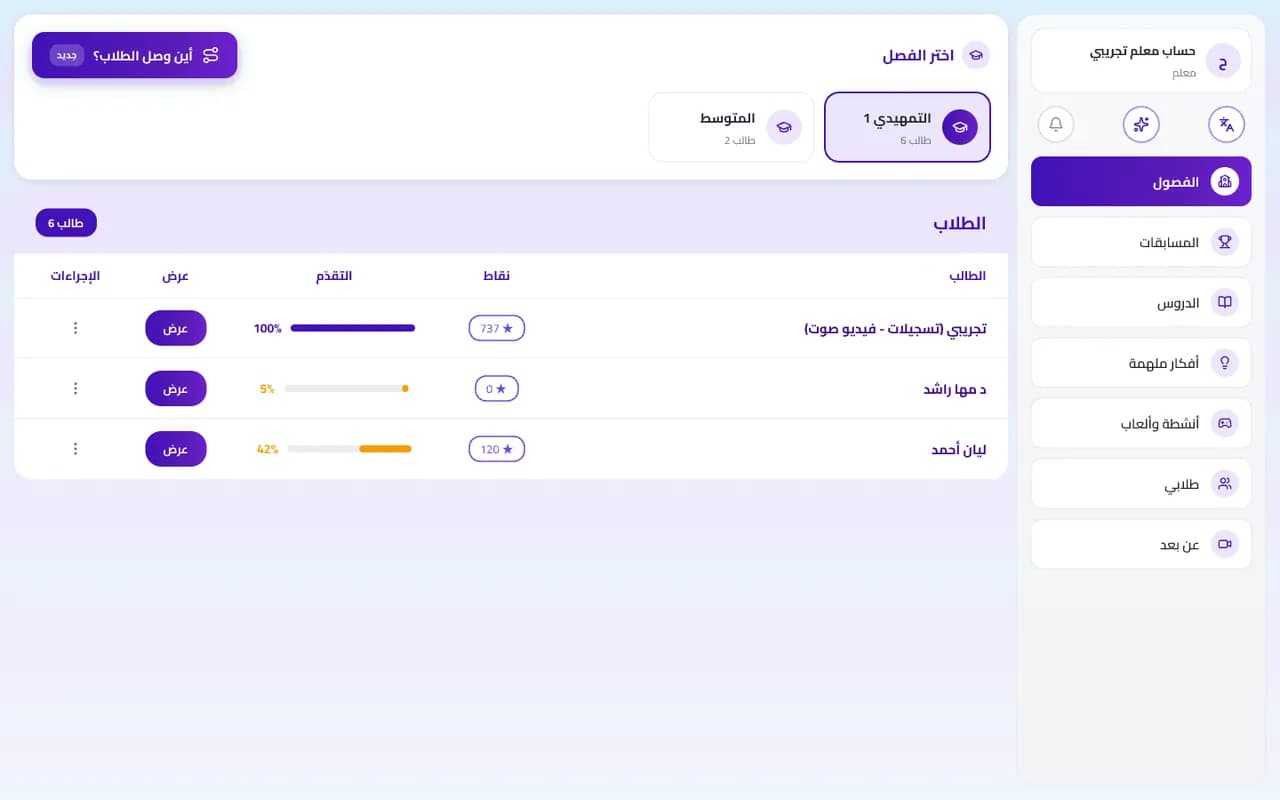
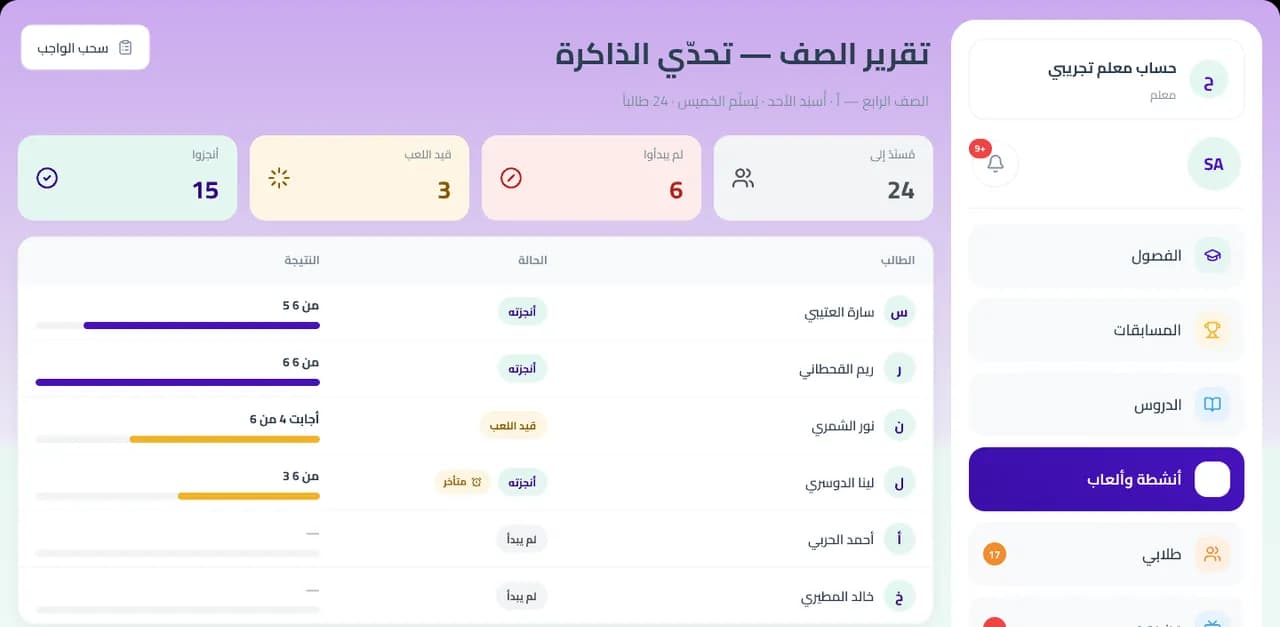
The teacher opens the lesson and starts. One button shows where every student has reached.
- Curriculum lessons are ready: goals, video, files and activities
- "Where are my students?": who finished, who is halfway, and who has not started
- Each student's steps inside the lesson, one by one
- Send the lesson files to the center's printer
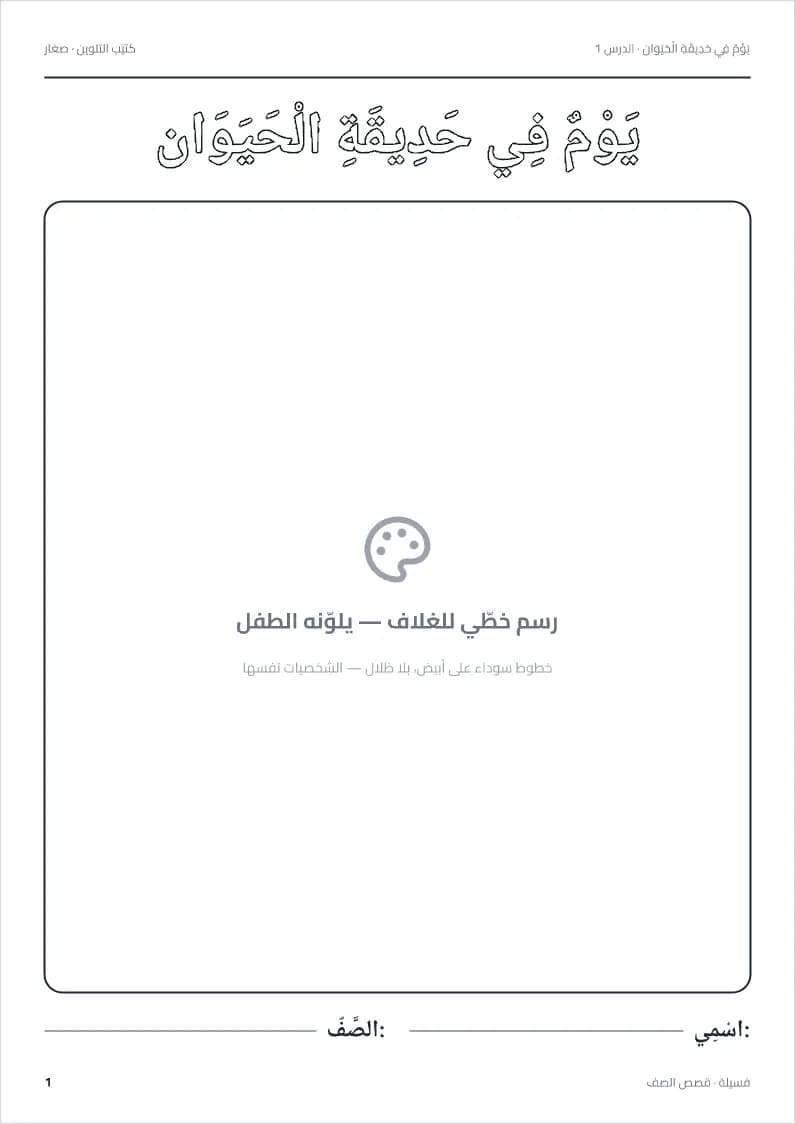
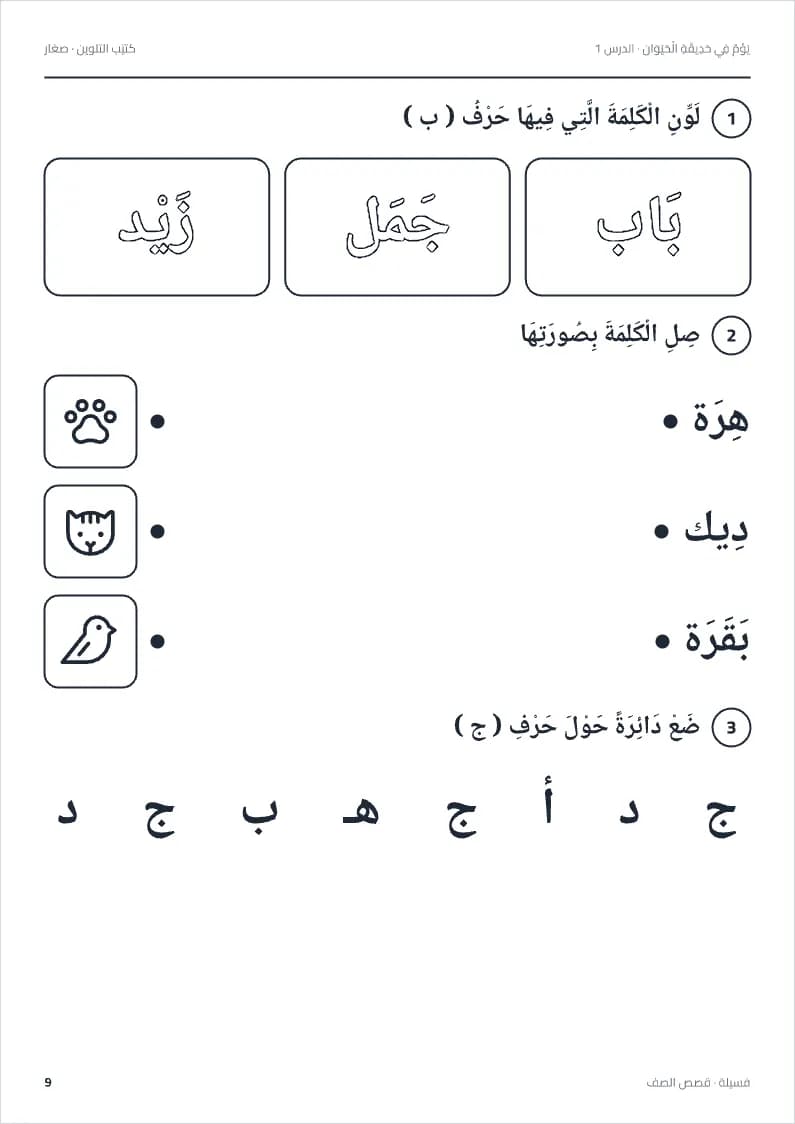
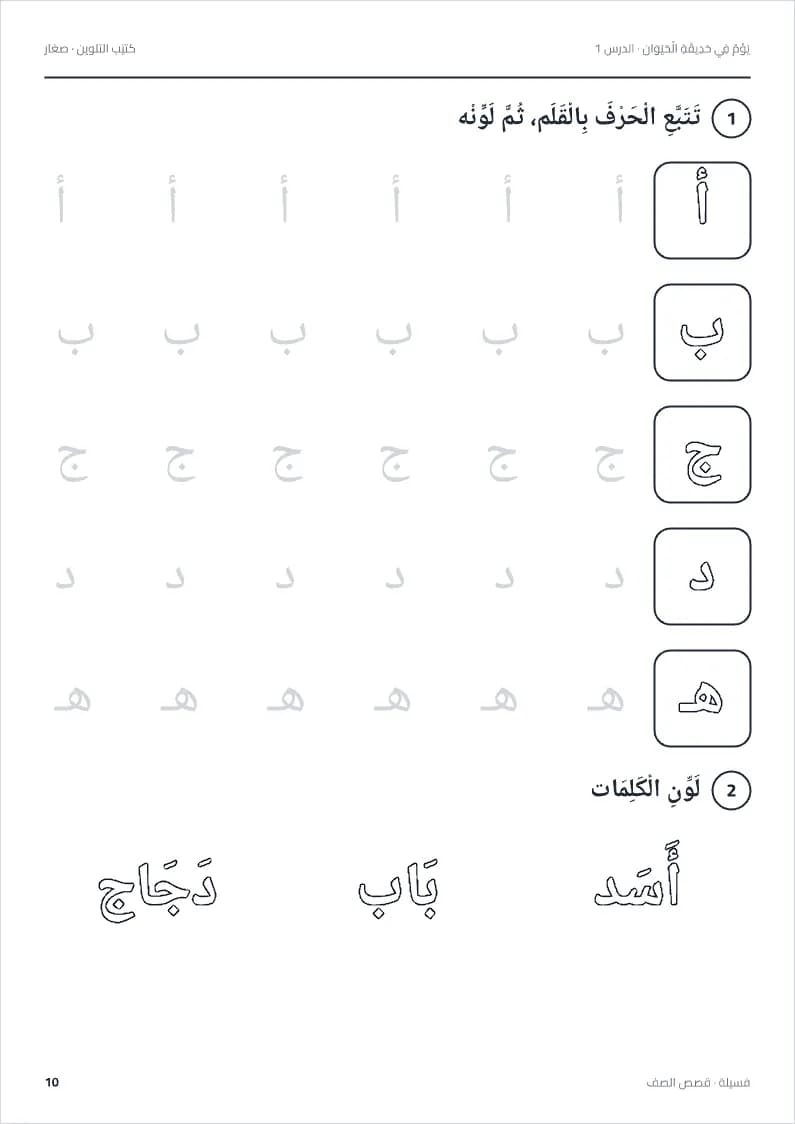
Class stories and a printable activity booklet
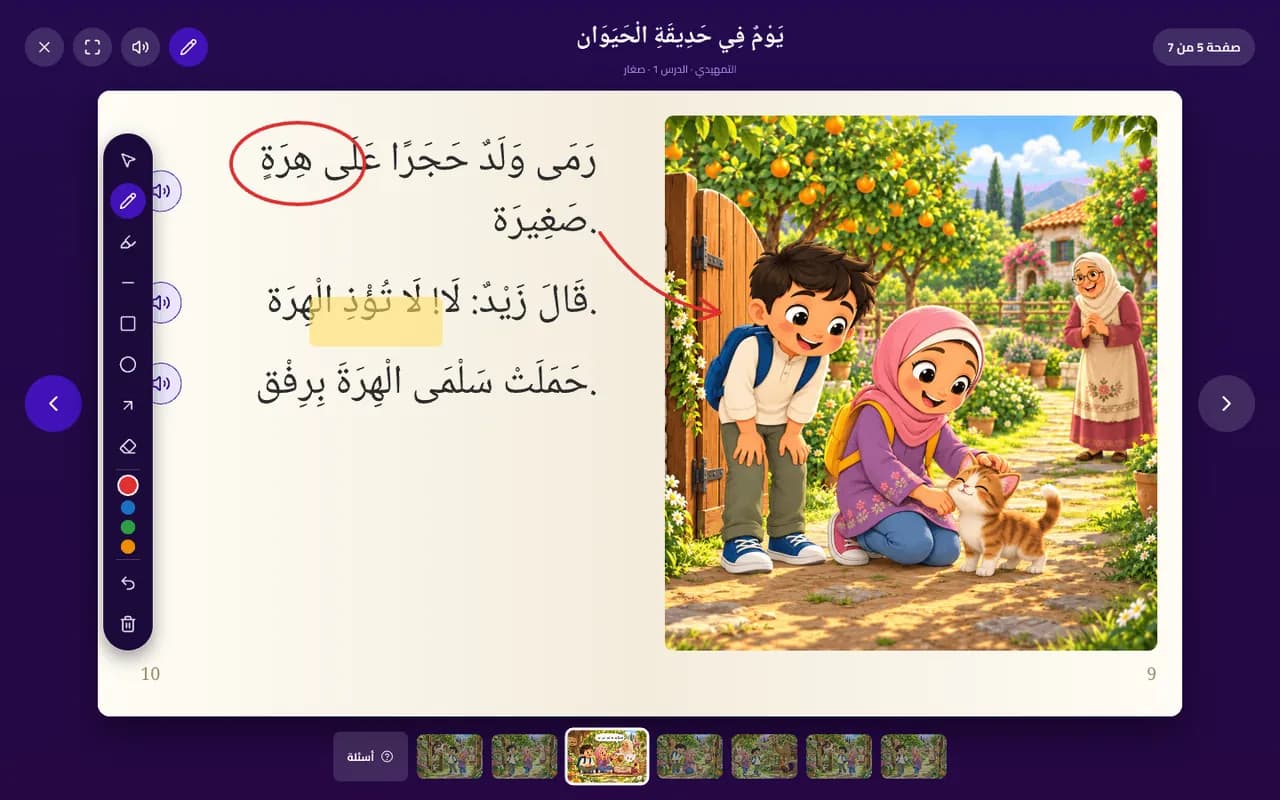
The story on the class screen, and its booklet in every student's hands.
- A story library organized by lesson and level, read in an Arabic voice
- Read on the screen and draw over the page while you explain
- A printable booklet: coloring, activities and letter tracing
- One edition for children and one for adults
Group games on the class screen
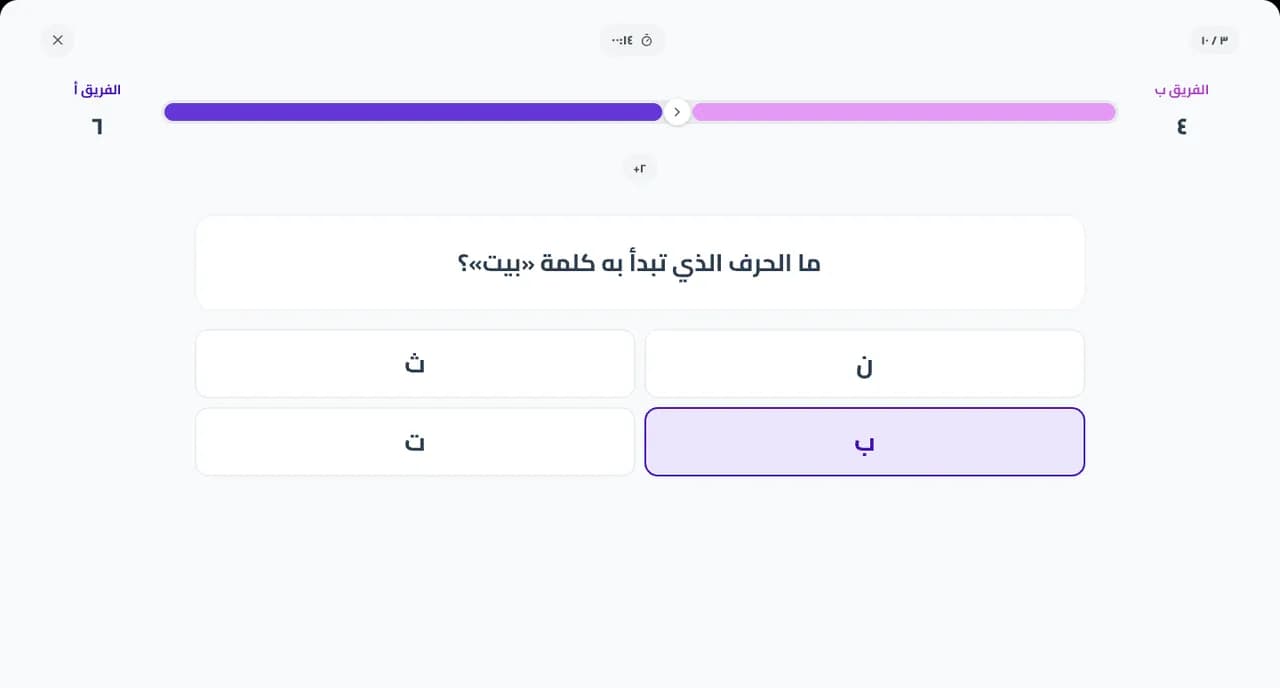
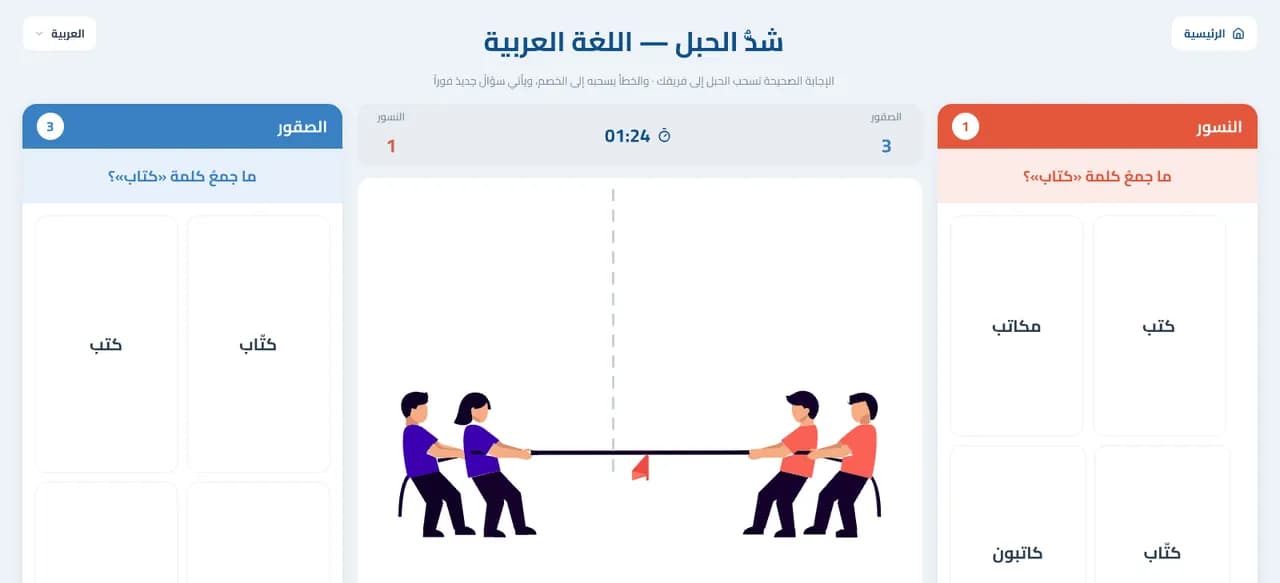
The whole class takes part: two teams, one question, and excitement that makes the lesson stick.
- 6 games: tug of war, answer rain, true or false, matching, and more
- Two teams compete on one screen or a split screen
- Students join from their own devices with a code or a QR
- The game's questions come from today's lesson
- Game homework, with a report: who finished and who has not started
Quizzes, assessment and certificates
From the short quiz to the certificate, in one dashboard.
- Short quizzes you build in minutes; students enter with a code
- Placement, oral and final exams
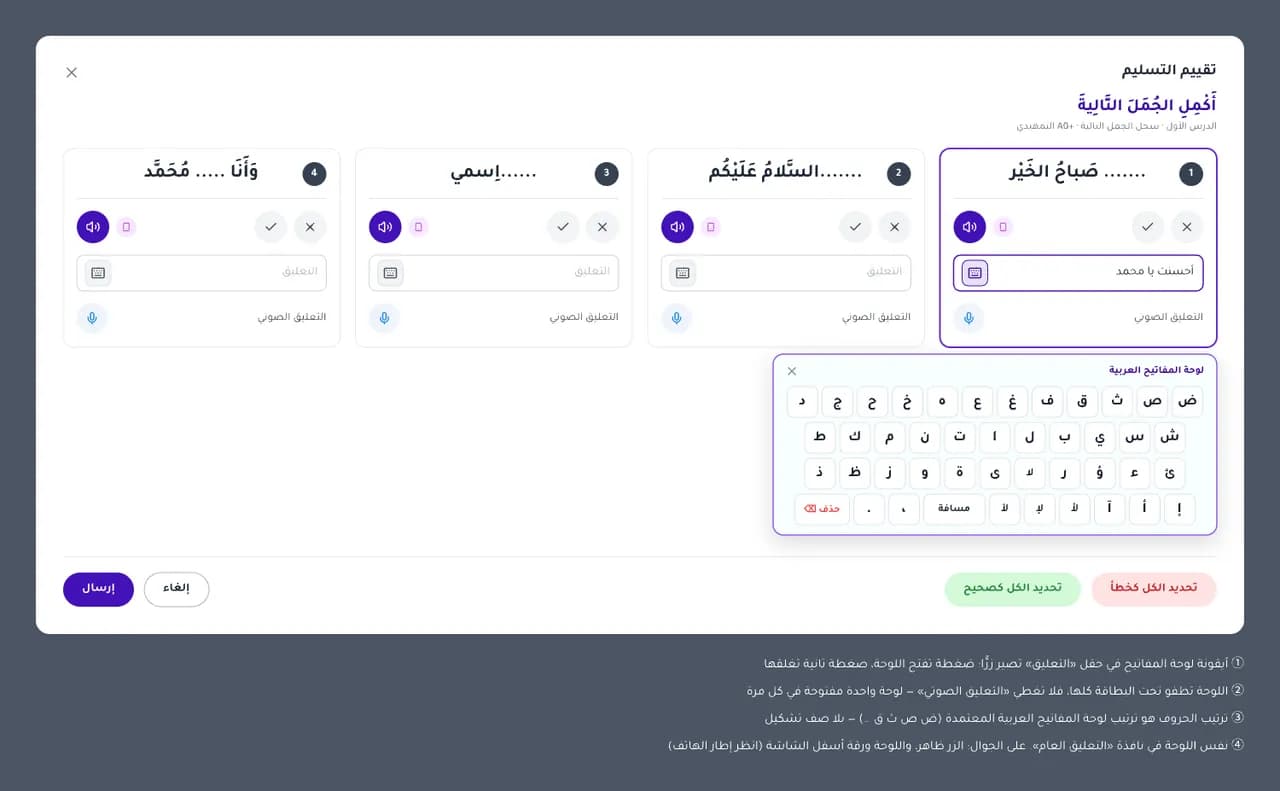
- Assess student recordings: audio, video and handwriting, with a grade and a voice comment
- Automatic marking suggests the grade and the teacher approves it
- A transcript and a certificate issued to the student
The parent, a partner in learning
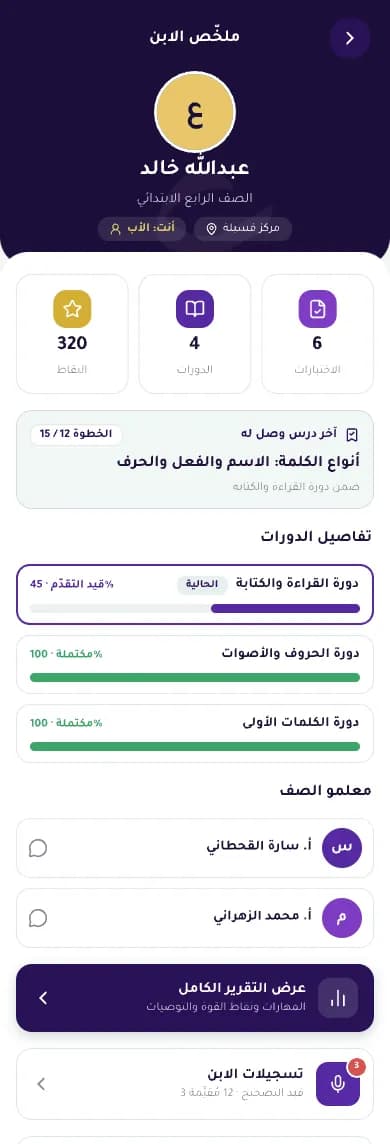
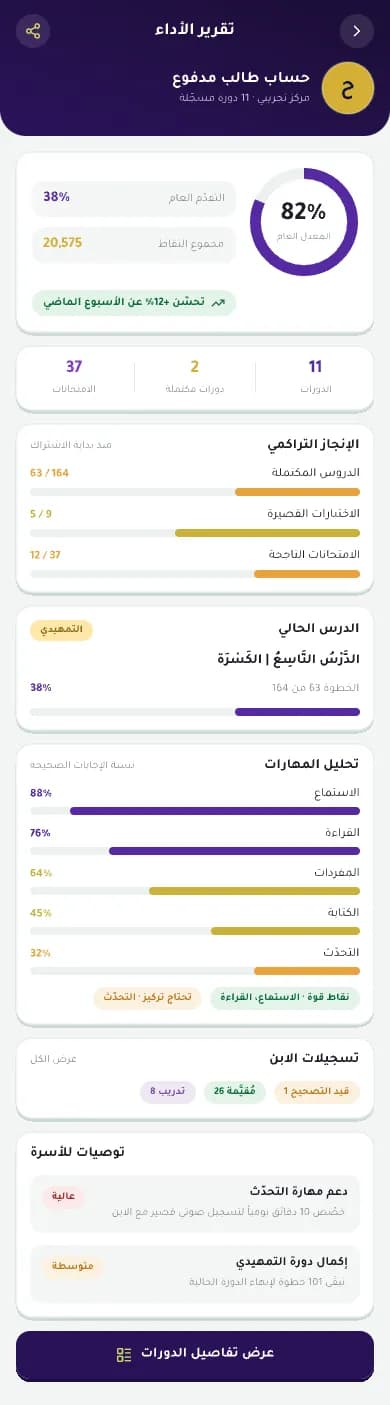
Families see their child's progress on their phone, without a call or waiting for a meeting.
- Performance report by skill: listening, reading, writing, speaking
- Strengths and what needs improving, with recommendations
- A PDF report to share on WhatsApp
- Tasks from the teacher, and a request to meet them
- The child's daily and weekly time in the app
Pricing for schools and centers
From one class to a network of centers. Ask for a quote that fits your number of students.
Center
Most requestedAny number of students
Activation vouchers you hand out yourself
- Manager, teacher and parent dashboards
- Registration, reports and payments
- Lessons, stories, games and quizzes
- Activation vouchers and discount codes
Network
On request
Chains of centers and schools
- Everything in the Center plan
- Several branches in one dashboard
- Move students between branches
- Special pricing for volume
Request a demo for your center
Fill in the form
One minute.
We contact you
Within 24 to 48 hours.
We open your center's dashboard
Your classes, teachers and student vouchers.
Start teaching
Students sign in with a QR card.
Frequently asked questions
How does my center sign up for Lexira?
Fill in the "Request a demo" form on this page. We contact you within 24 to 48 hours, then open your center's dashboard so you can add your classes, teachers and students.
How do students sign in? Do they need an email address?
Every student gets a sign-in card with a QR code, which the center prints or sends by WhatsApp. The student scans the code to sign in and needs no email address to start.
Are the lessons ready-made, or does the teacher build them?
The curriculum lessons are ready from A0 to B1, with their goals, videos, files and activities. Teachers add their own short quizzes and choose the stories and games that suit their class.
Do the group games work on a projector and an interactive whiteboard?
Yes. The game opens in a browser on the class screen or interactive whiteboard. Two teams compete on the same screen, or students join from their own devices with a code or a QR.
What does the parent see?
On their phone, parents see their child's performance report across the four skills, strengths and what needs improving, the teacher's tasks, and time spent in the app. They can request a meeting with the teacher and share the report as a PDF.
Can I print the stories and activity sheets?
Yes. Every story has a printable booklet with coloring, activities and letter tracing, in an edition for children and one for adults. You can also send lesson files to the center's printer.
How do I give subscriptions to my students?
The center receives activation vouchers and hands them out itself; each voucher activates one student's subscription. The manager's dashboard shows payments and the subscriptions that end soon.
Which languages do the dashboard and the lesson explanations support?
The app explains lessons to the student in 12 languages: Arabic, English, Portuguese, French, Urdu, Spanish, Turkish, Indonesian, Russian, Malay, Hausa and Chinese. The manager and teacher dashboards are in Arabic and English, and partly translated into more languages.